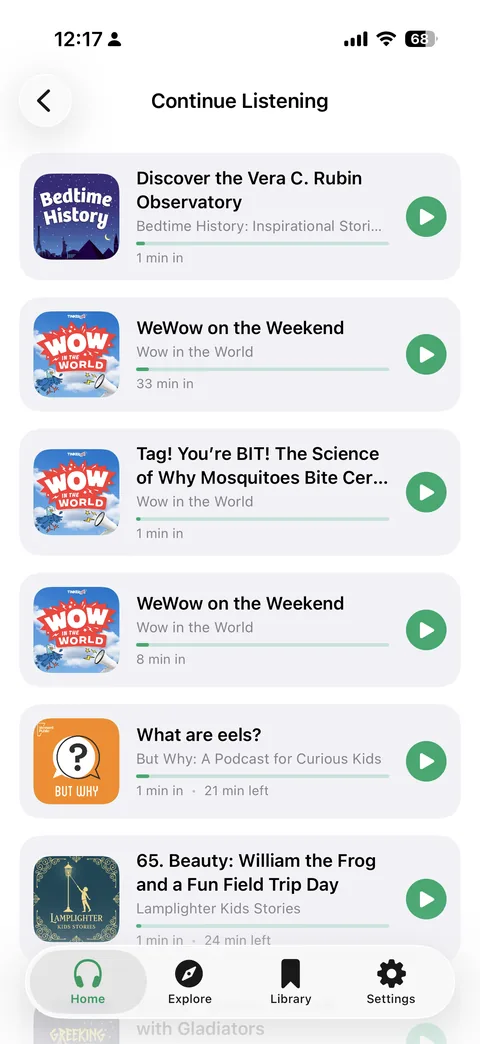
A library of kid-safe podcasts — no algorithm, no rabbit holes, no surprises. Just the shows you approve.
Free · Data Not Collected · iPhone & iPad
Other apps filter: they try to catch what isn't OK. PodFocus chooses: a kid's library starts empty and holds only the shows you approve.
Charts, “you might like” rows and autoplay put shows in front of kids that nobody in your family chose.
Explicit filters rely on each creator labelling each episode. Plenty of grown-up talk is never labelled.
Most apps let you block what you've already found. Very few let you say “only these shows”.
Around 10 or 11, kids want real podcasts. All of Apple Podcasts or Spotify is too much.
Three steps. Curated by you.
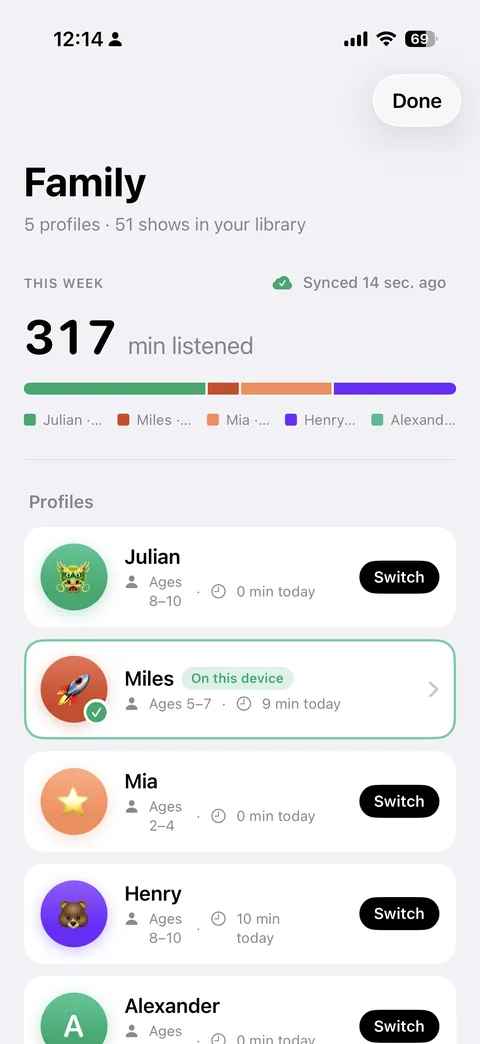
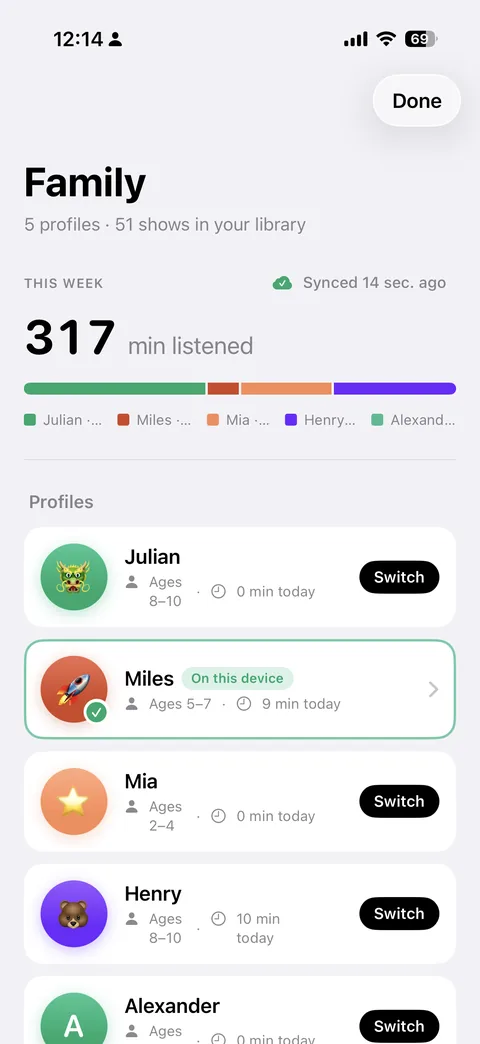
Add a profile for each kid in your family — one, two, three, four… You set the name and age range. They pick the color and emoji avatar that makes the profile feel like theirs.
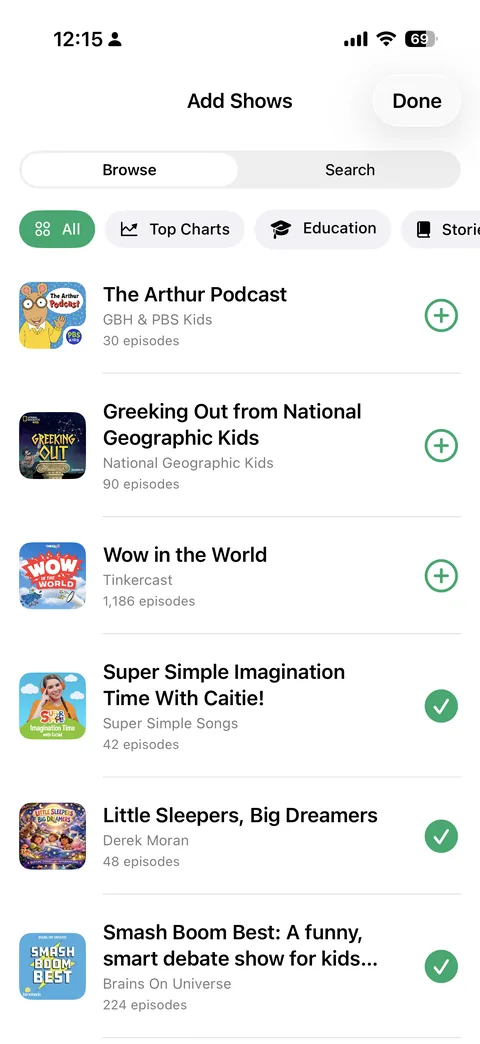
You browse the catalog of kid-safe podcasts and pick which shows go where. For older kids, switch on the full catalog for their profile and approve grown-up podcasts one at a time. Nothing slips into a kid's library without you.
Daily minutes per profile. PIN-protected parent settings with a recovery code you can stash somewhere safe. Kids stay in their library; you stay in charge.
Big podcast apps filter explicit episodes. PodFocus lets you pick the shows.
| Spotify | Apple Podcasts + Screen Time | PodFocus | |
|---|---|---|---|
| Only the shows you choose | No | No | Yes |
| No charts or recommendations | No | No | Yes |
| A library per kid | With Premium Family | A separate Apple ID per kid | Yes, on one device or many |
| Daily listening limit | Whole-app limit via Screen Time | Whole-app limit via Screen Time | Per kid |
| Price | Free with ads, or Premium | Free | Free |
Checked November 2026. Apps change; tell us if something here is out of date.
Spotify Kids alternatives, compared →Each kid in PodFocus gets their own profile, their own library, their own listening history — on one app on one device, or shared across devices.
PodFocus was built around real listening: long drives, dinner cleanup, the bath, the bedtime wind-down. It works whether or not you have signal.
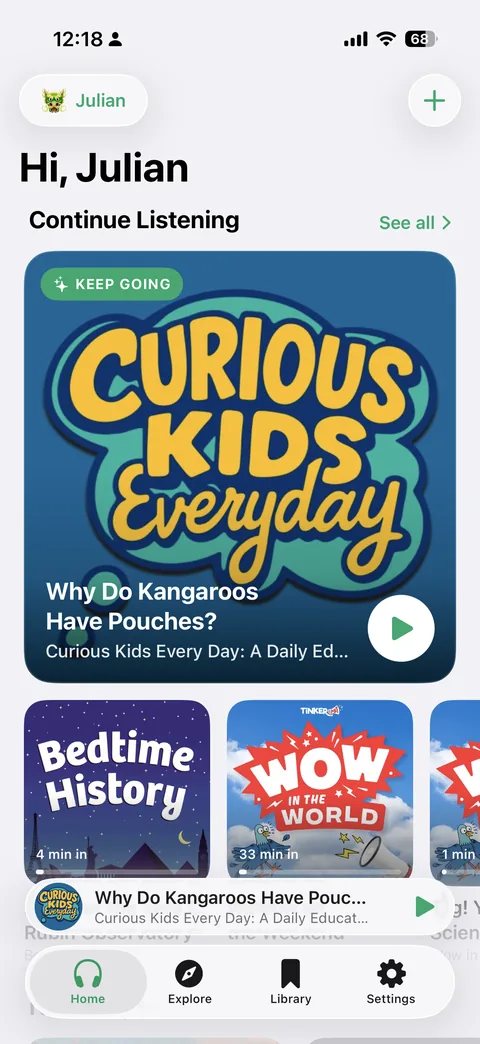
You pick what each kid hears. No algorithm, no suggested feeds.
When an episode ends, it ends. Nothing starts playing next on its own.
One 4-digit family PIN locks the parent zone on every device. Recovery code for when you forget.
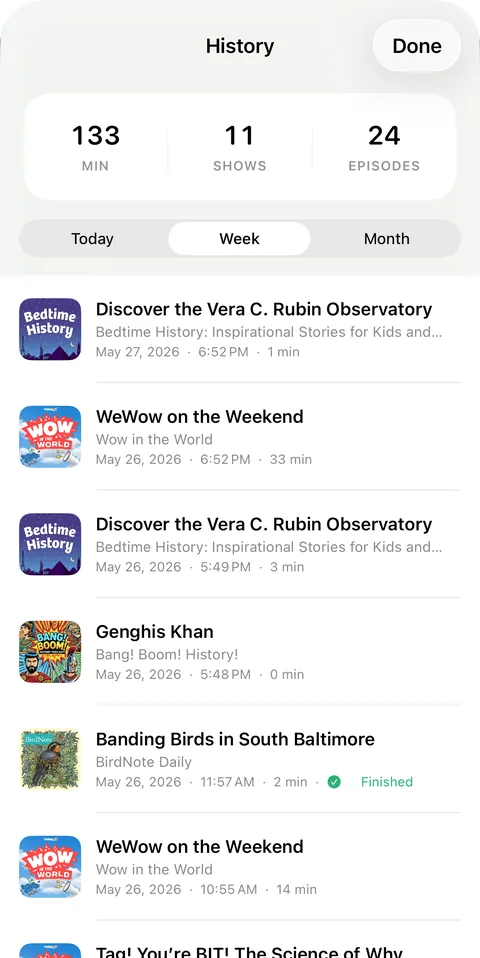
Per-profile minute budgets. Today's listening visible at a glance.
One app for the whole family. Separate libraries, separate histories.
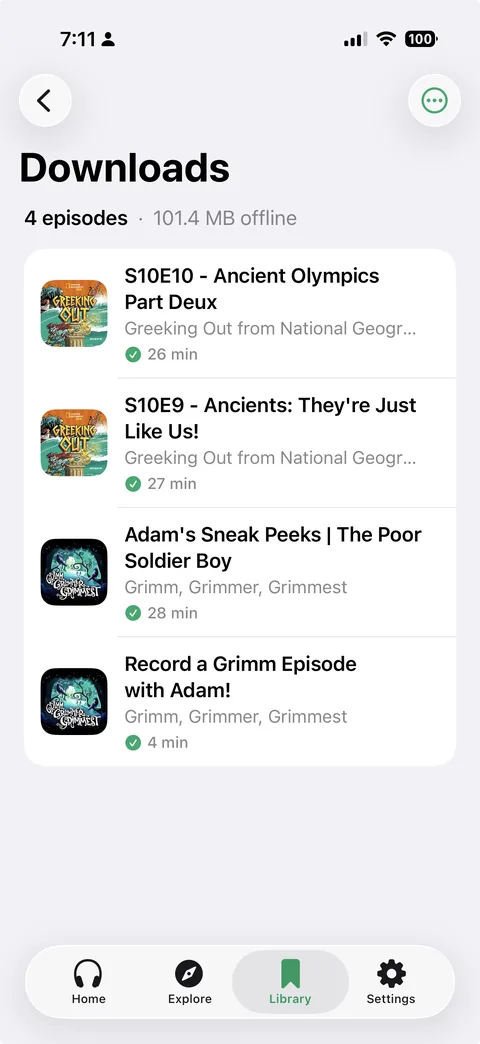
Episodes saved to the device. Plays in the car, on a plane, anywhere.
Episodes resume exactly where the kid stopped, even days later.
Finished episodes are checked off, and half-heard ones show the minutes left.
Profiles, libraries, and history sync across your devices automatically.
Share a kid's profile to their own iPad. Their library, your control.
Native layouts for both. Background audio, lockscreen, AirPlay, CarPlay.
That's the App Store privacy label. No ads in the app, no tracking, no analytics.
Somewhere around 11, kids' podcasts start to feel young. PodFocus grows with them: turn on one switch in your child's profile and you can approve podcasts from the full catalog, one show at a time.
“Allow parent-approved podcasts from the full catalog” lives in each kid's settings. A younger sibling's profile stays kids-only.
Search covers every podcast, but nothing reaches their library until you add it. Grown-up shows are labelled in Manage Library.
Episodes their creators mark explicit don't appear. Turn the switch off and the shows you've already approved stay put.
It's a podcast player too, built the other way round. Those apps open onto every podcast, with charts and recommendations, and let you filter explicit episodes. In PodFocus a kid's library holds only the shows you've added. PodFocus is an independent app, not affiliated with Spotify or Apple. See how they compare.
Start from the curated catalog of kid-safe shows, each with an age range and a note on why it's there (browse the directory). For older kids, turn on the full catalog in their profile and approve grown-up podcasts one at a time.
Yes. Adding a show adds its new episodes as they come out, so you don't approve episodes one by one. Episodes their creators mark explicit stay hidden.
PodFocus has no ads of its own, no trackers and no analytics. Episodes stream straight from each show's publisher, and many podcasts include their own sponsor messages, which PodFocus can't remove.
Preschool to teens. Each kid gets a profile with an age range and their own library, limits and history, so a 5 year old and a 13 year old each get the right shows. Podcasts for tweens, and room to grow.
Screen Time can limit or block a podcast app as a whole and hide explicit episodes, but it can't choose shows. Use both: Screen Time keeps other podcast apps off the device, and PodFocus is the library.
Yes. Download episodes before you leave and they play without signal. CarPlay, AirPods controls and the lock screen all work.
Not yet. PodFocus is for iPhone and iPad (iOS 18 or later). If you need Android, tell us: it helps us decide what to build next.
Nothing. PodFocus is free, with no subscription and no in-app purchases.
None. The App Store privacy label is “Data Not Collected”. There's no account to create: profiles and libraries sync through your own iCloud.
I'm a mom of two boys and an iOS developer. My boys love stories and podcasts. What I never loved was handing them to an algorithm: an app deciding what a five-year-old should hear next, or an autoplay queue I hadn't seen.
So I built the app I wanted. I pick the shows, and my kids are free to enjoy anything on the list. Curated by me, but in the end fully theirs. It's the app we use at home.
It's the same idea as my other app, VideoFocus, which does this for YouTube.
Marcelina, founder of PodFocus
Every channel your kid watches is one you approved. Add the YouTube channels and videos you trust, and nothing else plays: no feed, no autoplay rabbit holes. A profile for each child, a parent passcode, and screen time limits with bedtime. Free for one child.
Find PodFocus on the App Store for iPhone and iPad.
Requires iOS 18 or later — works on iPads back to 2018